Control-M AI Pilot for Planning
Control-M AI Pilot for Planning is an AI tool that enables you to plan and modify workflows in the Planning domain with natural language. The tool contains a list of actions to create and configure jobs and folders in an existing workspace. After you select an action, you can prompt Control-M AI Pilot and it automatically executes the action.
Control-M AI Pilot can do the following in a workspace:
-
Add, update or delete a job or folder
-
Generate a job description
-
Create dependencies between jobs
-
Schedule a job
-
Run a workspace or folder
-
Create an executable script based on natural language or define a new job with the script
-
Analyze an embedded script for a job
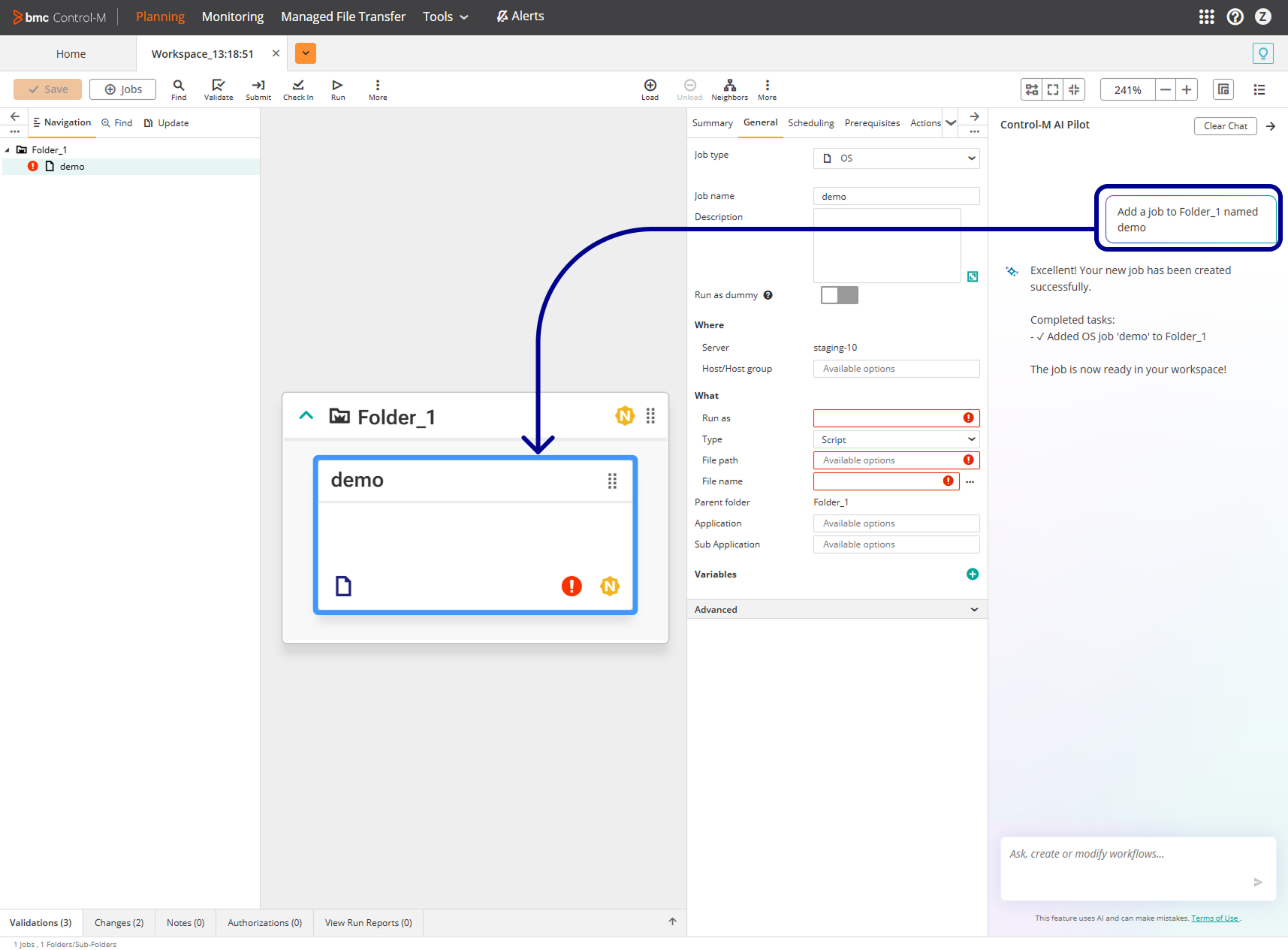
The following example shows how Control-M AI Pilot creates a job:
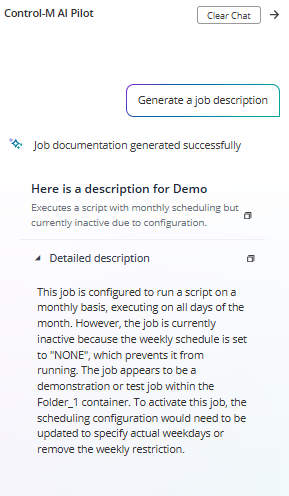
The following example shows how Control-M AI Pilot creates a job description:
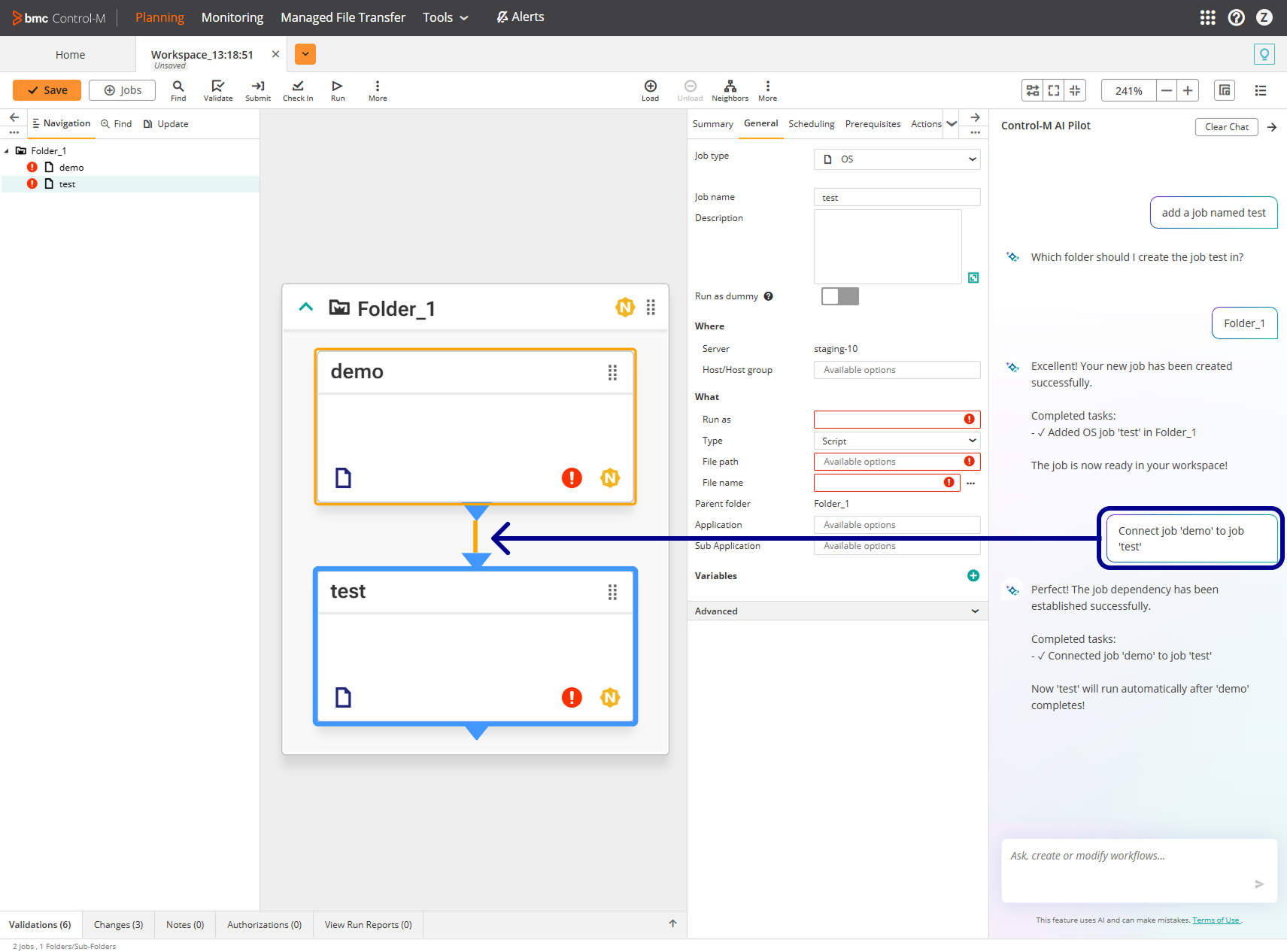
The following example shows how Control-M AI Pilot creates a dependency between two jobs:
Prompting Control-M AI Pilot
This procedure describes how to prompt Control-M AI Pilot to perform various actions in a workspace.
Before You Begin
-
Verify that the following AI Feature Settings are toggled on in System Settings:
-
Enable AI Features
-
AI Preview Features
-
Begin
-
Open the workspace.
-
Select the job or folder that you want to configure.
-
Click the left Control-M AI Pilot pane.
Control-M AI Pilot appears.
-
Click one of the following actions:
-
Add a job to a folder in the workspace
-
Generate a job description
-
Set a job schedule
-
Generate an embedded script in a job
-
Check in workspace
-
-
Type your prompt and click
 .
.
 YouTube
 Facebook
 LinkedIn