Jett AI Assistant
Jett is a generative AI-based tool that analyzes workflow performance.
After you type a prompt in conversational language, Jett searches the data in the Control-M database and provides you the relevant information to troubleshoot performance issues and generate custom performance reports.
Jett can generate the following information in text, table and chart formats:
-
Job status summaries
-
Detailed job information
-
Job definition changes in the Planning domain
-
User actions performed on jobs
-
Online documentation
Jett supports up to 50 prompt requests daily. It supports multi-turn conversations and retains the context from prior questions to enable a more natural dialogue.
Jett maintains data security. The tool delivers information based on user authorizations to ensure users only receive the information that they are permitted to view.
For more information about Jett, see FAQ: Responsible Use of Generative and Agentic AI in Control-M.
This application uses generative AI and can potentially provide inaccurate results.
Asking Jett
This procedure describes how to ask Jett questions to provide information about workflow performance.
Before You Begin
-
Verify that the following AI Feature Settings are toggled on in System Settings:
-
Enable AI Features
-
AI Preview Features
Jett availability is determined according to AWS regional services. If the activation button does not appear in the System Settings, contact your BMC Account Manager to confirm availability in your region.
-
Begin
-
From the
 icon, select Jett.
The Jett domain appears with a prompt input field.
-
From the drop-down menu, select one of the following:
-
Jobs & Monitoring: Generates detailed job information, such as job status, job definition changes in the Planning domain, and user actions performed on jobs.
-
Documentation: Provides Control-M information based on the Control-M online help.
-
Execution Insights: Shows
-
-
Type your prompt and click
 .
.The maximum number of characters for a prompt is 2,000 characters.
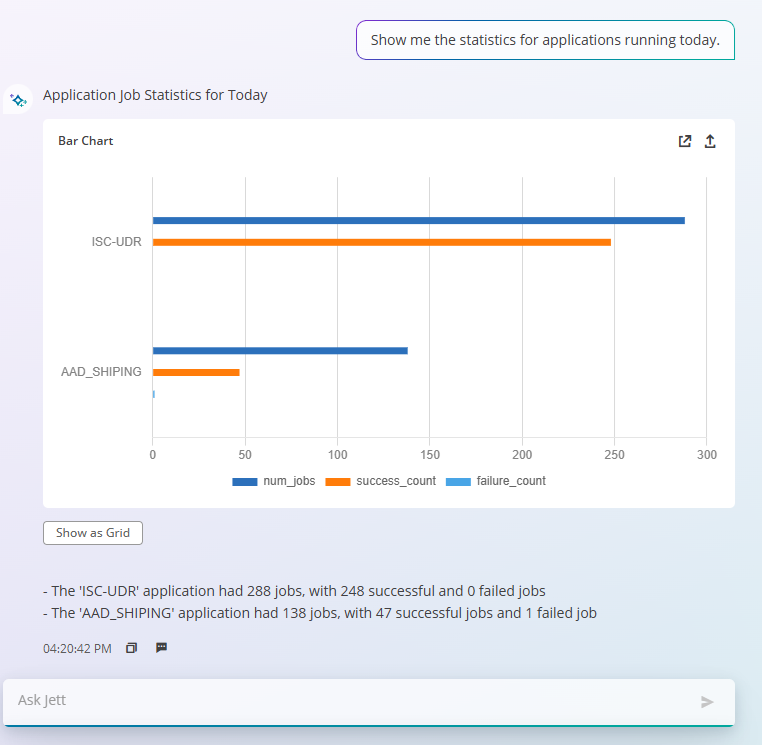
The following example shows a prompt to chart the statistics for the applications that run today and the response from Jett:

Jett Prompt Examples
The following table shows examples of prompts to use with Jett.
|
Prompt |
Response |
|---|---|
|
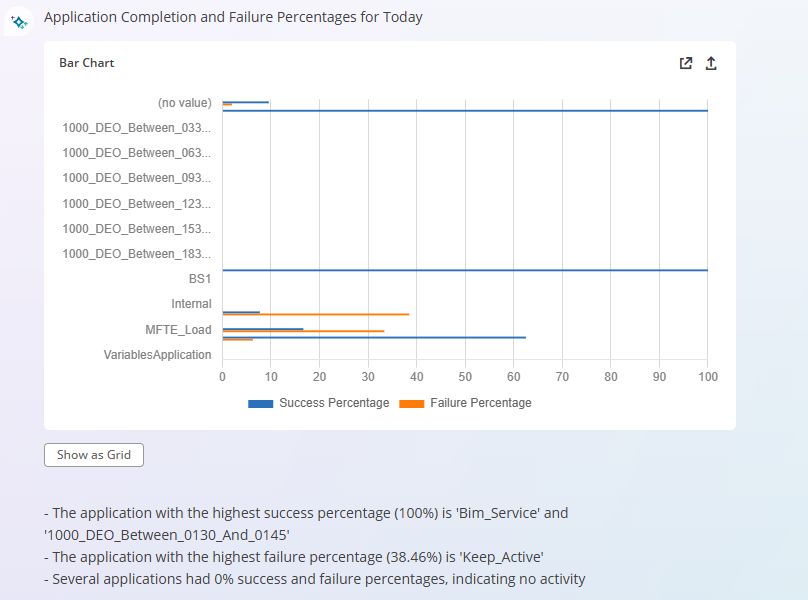
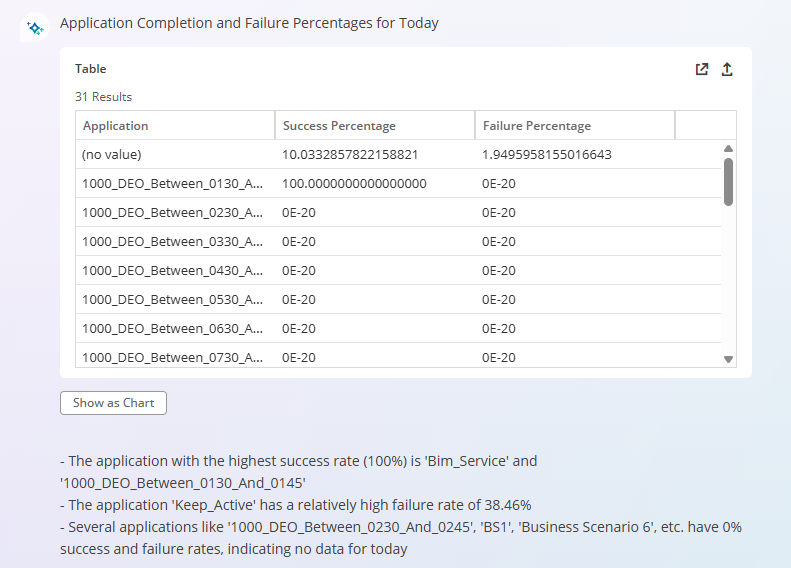
Show me the application completion and failure percentages for today. |
|
|
What was the overall job completion success rate for the last month? |
|
|
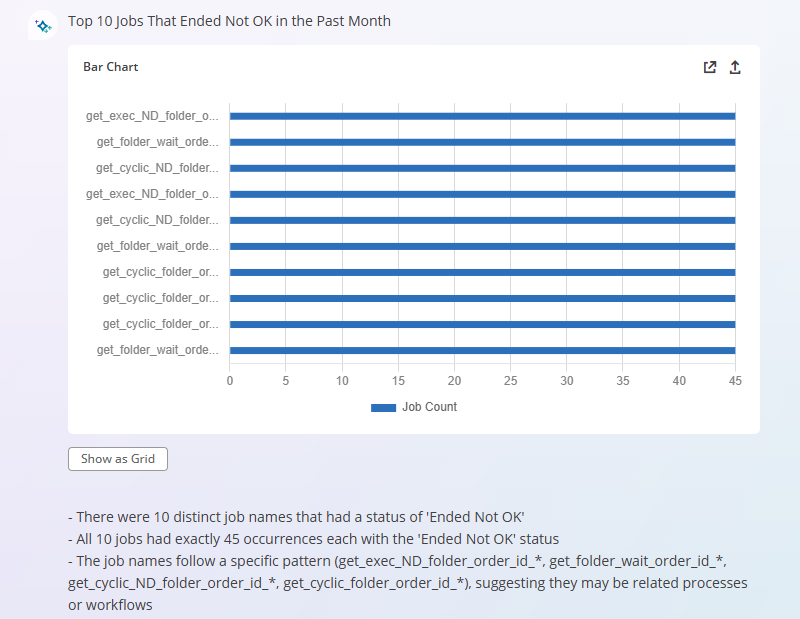
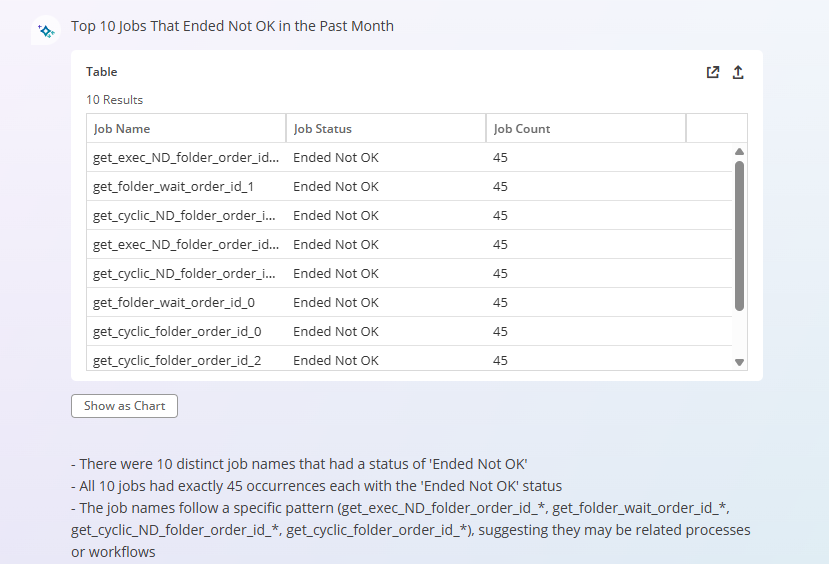
What were the top 10 jobs that Ended Not OK in the past month? |
|
|
Which jobs most frequently ended with an Ended Not OK status? |
|
|
List the top 10 hosts with the most jobs that Ended Not OK. |
|
|
List the percentage of job completions vs. job runs for today. |
|
|
List the top 10 days with the most jobs that ran this month. |
|
|
List the top 10 days with the highest number of jobs completed. |
|
|
What is today’s job run count? |
|
|
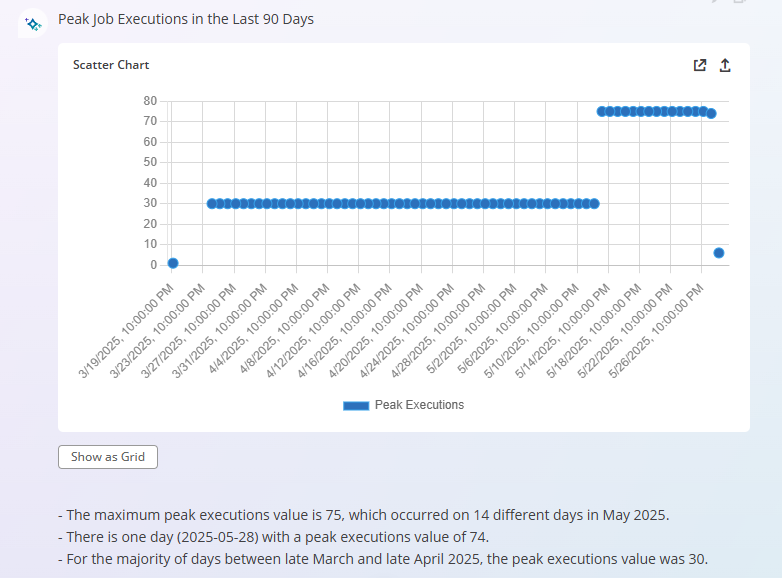
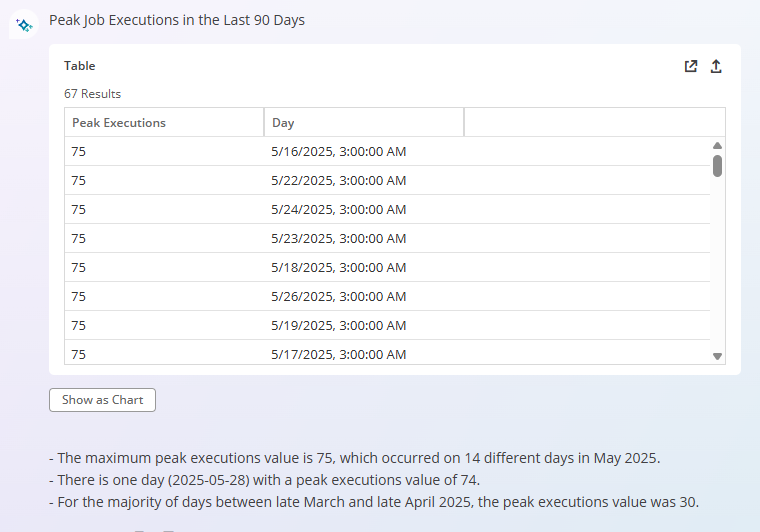
What were the peak job executions in the last 90 days? |
|




 YouTube
 Facebook
 LinkedIn